
Google
UX lead, Google Account passkeys
Bringing passkeys to Google Accounts
Setting up a passkey isn't the same as successfully using one. I led Google Account passkey UX from early direction through launch, connecting seven product areas and more than 100 collaborators.
The challenge was to make a new way to sign in feel familiar and useful when someone returned, even as the journey moved between Google, the browser, and the device.
Research & evaluation
Follow the experience beyond the first prompt
With research partners, I evaluated ease, speed, confidence, and preference during setup and later use. We paired that feedback with completion behavior and tested copy, illustrations, calls to action, and system-prompt timing.
I helped establish a shared convenience metric and advocated for it in the team's OKRs. That gave us a way to discuss the experience alongside adoption: could people complete the task, and did it feel easier? The practical design lesson was to prepare people for the next action without making them learn the credential system first.
Decision & tradeoff
Explain the next action, not the whole technology
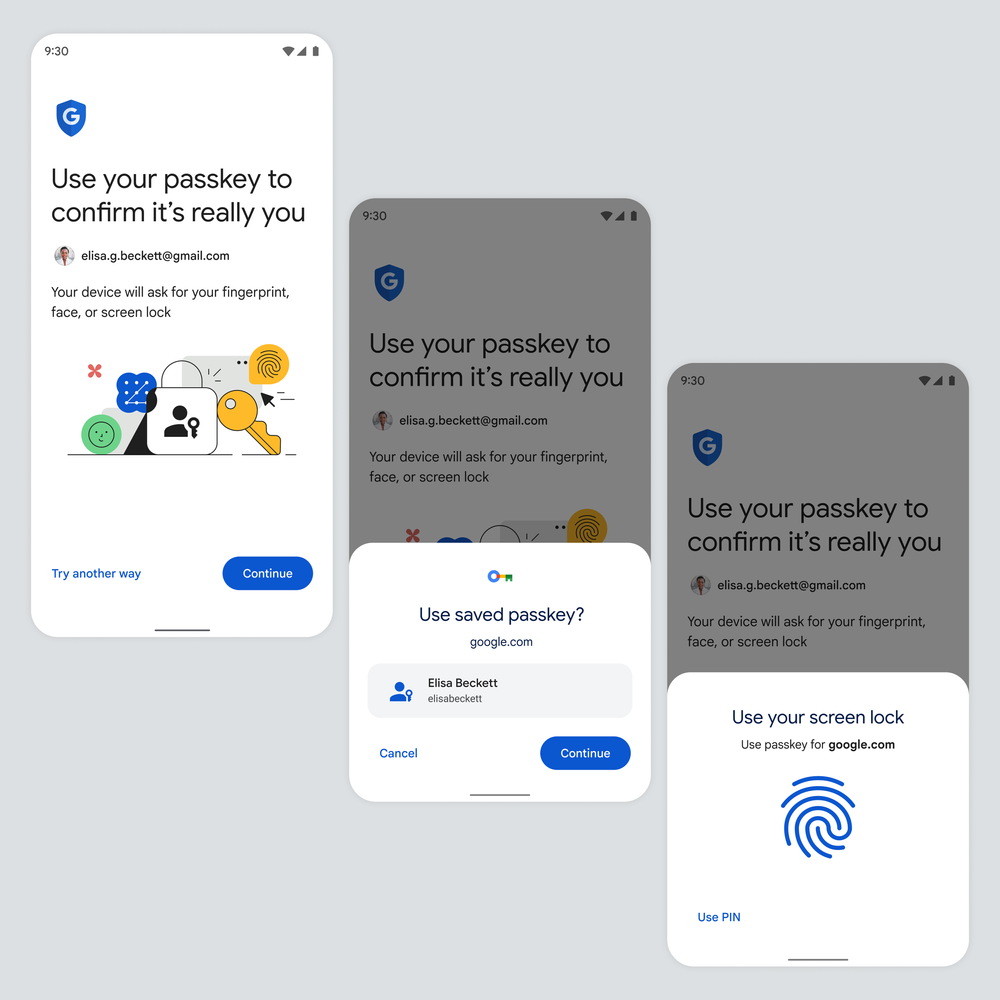
Teams wanted to explain how passkeys work and why they are safer before people continued. I pushed for a shorter prompt, with deeper education available when needed. The tradeoff was less explanation up front in exchange for a more direct route into the account.
The Android sequence makes that choice concrete. Google introduces the device-unlock step; the system owns the credential selection and verification dialogs. I focused Google's copy on preparing that handoff, while keeping another sign-in route visible for someone who could not use the passkey.
Responsibility & scope
Design the handoffs between Google and the device
I mapped the handoffs between Google screens, browsers, device dialogs, and password managers, and led UX audits with accessibility specialists. Our designs had to work within a prescriptive design system and frameworks owned by different teams; alignment meant resolving those dependencies, not just agreeing on a screen.
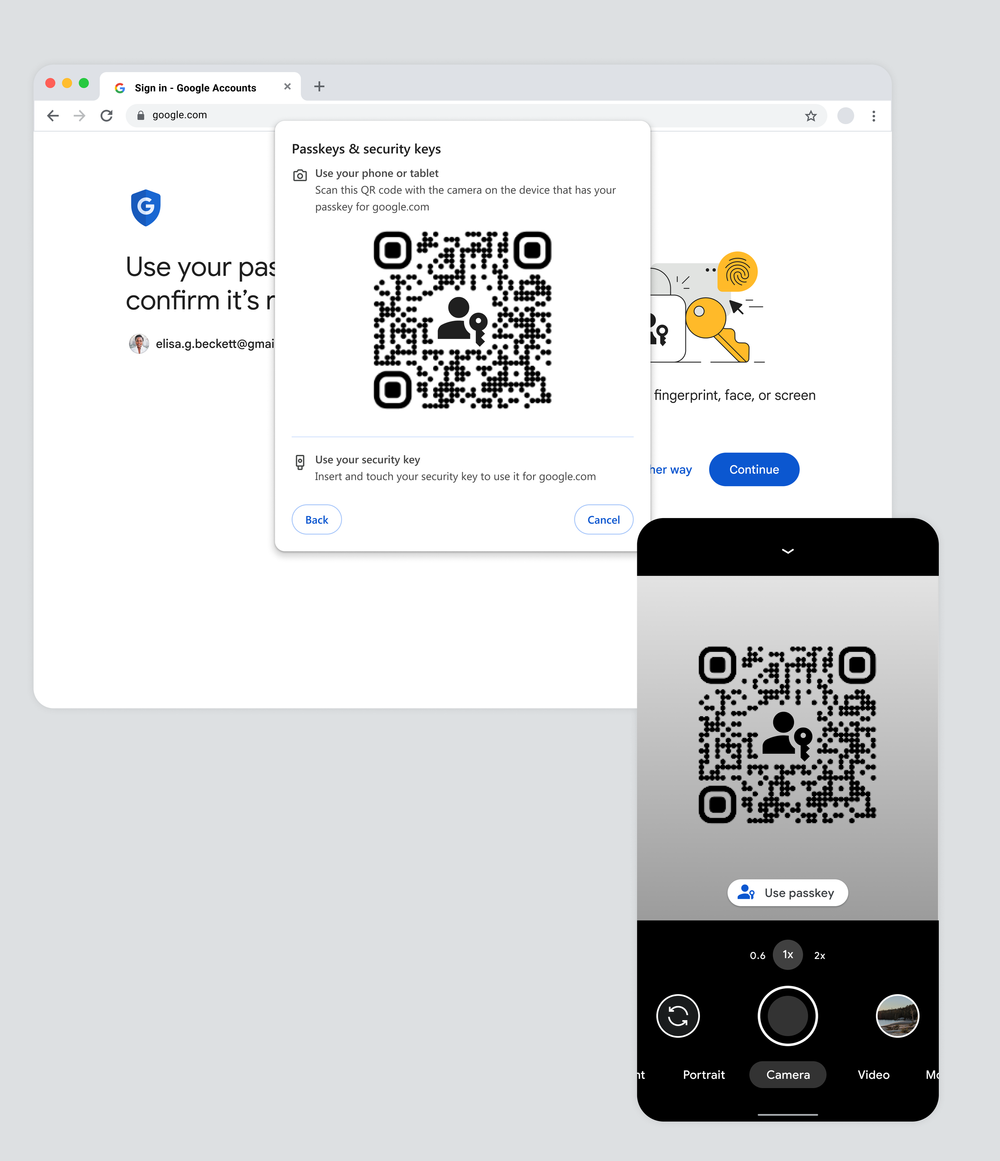
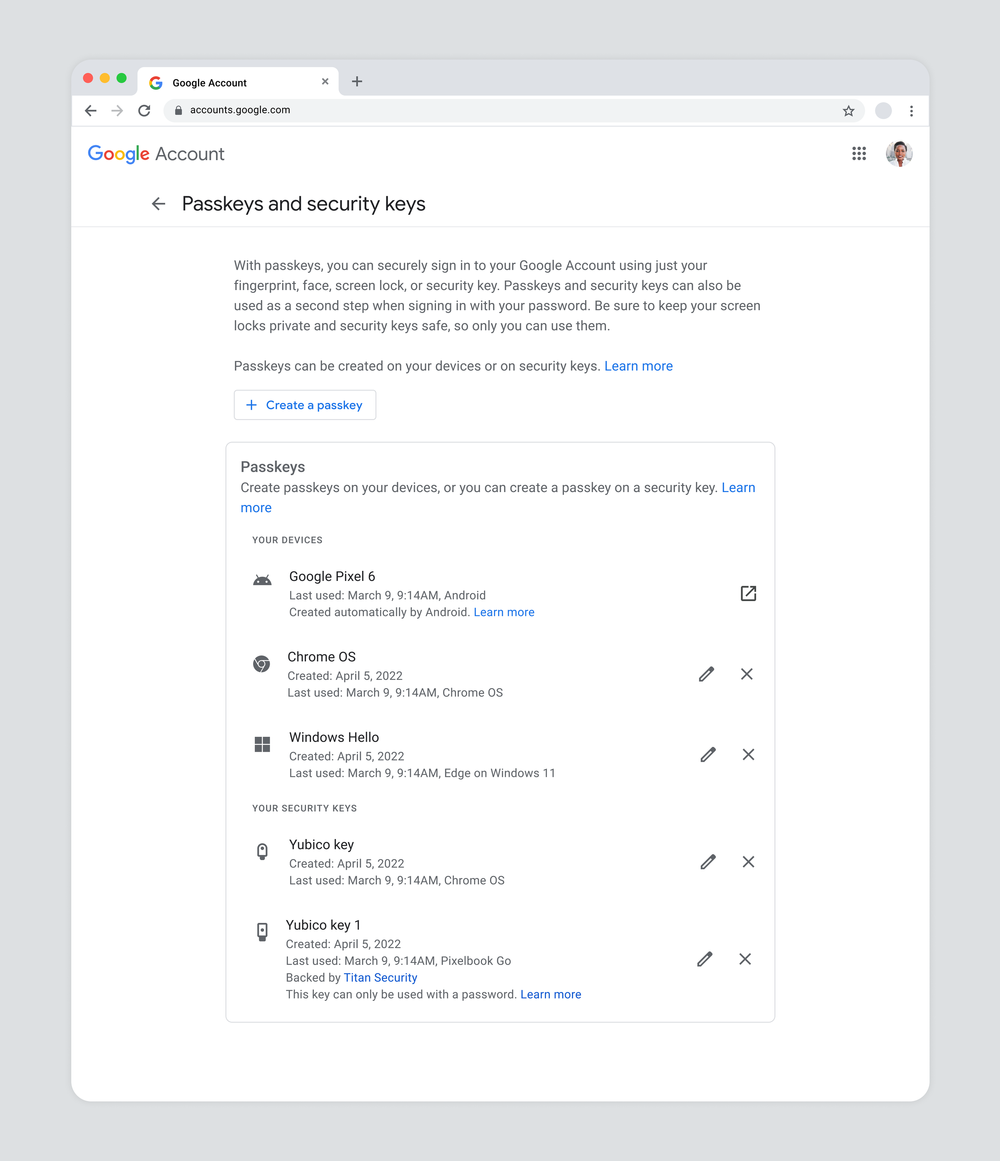
Cross-device sign-in and credential management were part of that scope. The designs below show the QR-code handoff to a phone and the account settings needed to inspect and manage passkeys and security keys.
Interaction detail · iOS
Keep the context visible when iOS takes over
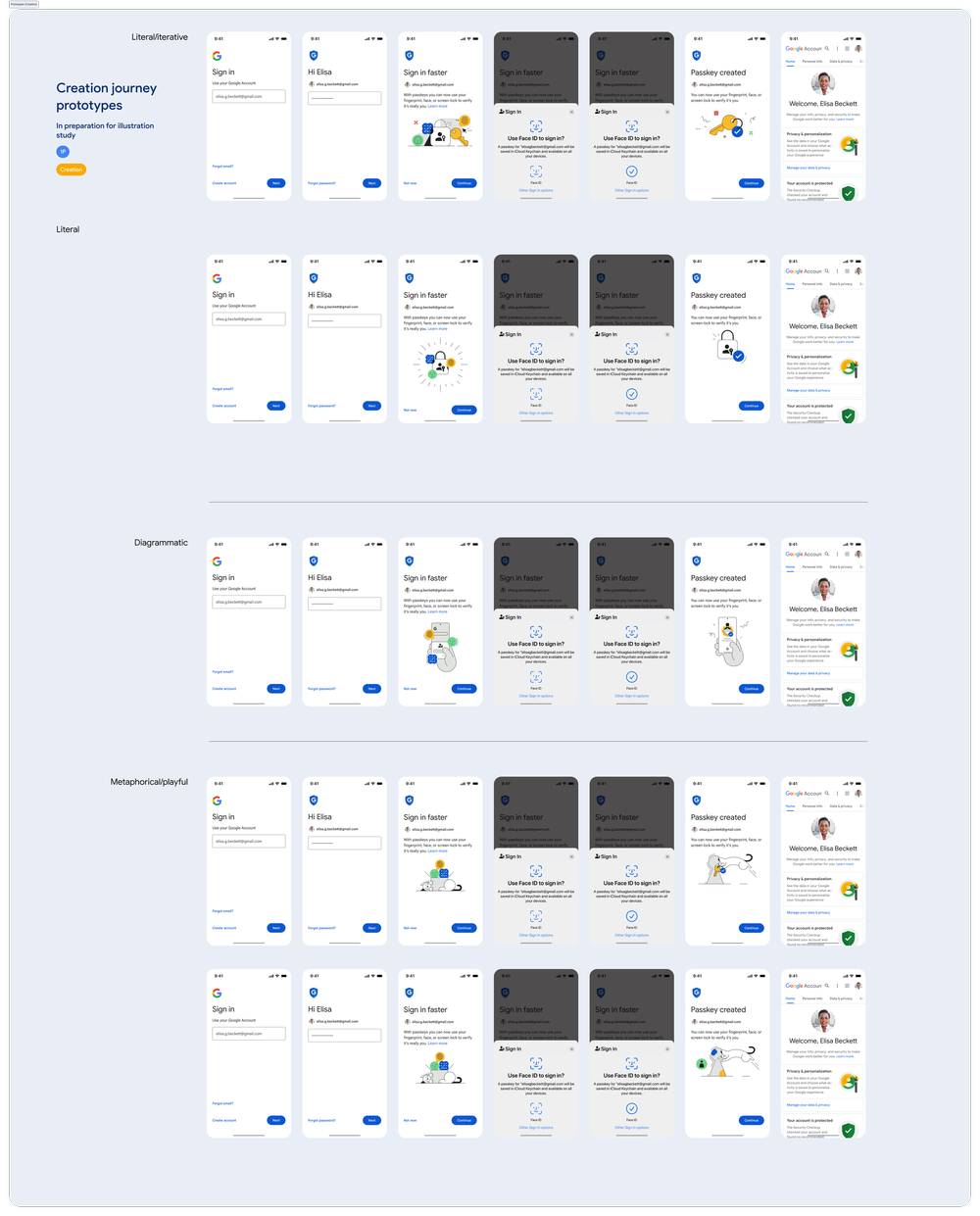
We offered passkey creation during sign-in, with Google's explanation still visible behind the iOS dialog. The system presented the creation controls; Google's screen supplied the reason for the interruption. The flow below shows the two possible responses to that offer.
Creation journey · iOS
Two possible outcomes from a single creation prompt
Google introduces the opportunity; iOS presents the creation controls.
-
01 / Google context
Explain the opportunity
Enough context to understand the next step and feel in control.
-
02 / iOS system dialog
Offer passkey creation
The platform presents its own creation UI, with Google's context still behind it.
-
Possible creation outcomes
-
First passkey created
The Google Account gains its first passkey.
-
No passkey created
The account does not gain a passkey in this attempt.
-
Keep the route into the account
Declining this offer did not, by itself, mean sign-in had failed. We evaluated access independently of the creation choice.
More successful sign-ins, at scale
- Higher sign-in success compared with passwords
- 30%
- Google Accounts using passkeys, reported in December 2024
- 800M
Google's product-level results, reported by FIDO Alliance, December 2024. Sign-in success comparison with passwords.
Public record
From launch to everyday use
Google introduced passkeys for Google Accounts in May 2023 and began offering them as the default option in October 2023, while retaining the option to use passwords.
By May 2024, Google reported more than one billion passkey authentications across over 400 million Google Accounts. These public milestones show the scale of the rollout.
Beyond Google
A shared direction for passkeys across the web
As Chair of the FIDO UX Working Group, I bring specialists together to shape public guidance and design resources that help others build their own passkey experiences.
Explore the FIDO story